Components
Stack
The Stack component is used to position elements on top of one another in a visually layered manner.
Variants
Without stack
The following example displays div's without stacking.
With stack
Wrap the stacked div's with a wrapper div using the component class `stack`.
Animated stack
Apply the modifier class stack-animated to enable animation on hover.
Positions
Bottom (default)
By default, the stacking direction is from the bottom.
Bottom start
Apply the modifier class `stack-bottom-start` to set the stack direction to bottom-start.
Bottom end
Apply the modifier class `stack-bottom-end` to set the stack direction to bottom-end.
Top
Apply the modifier class `stack-top` to set the stack direction to top.
Top start
Apply the modifier class `stack-top-start` to set the stack direction to top-start.
Top end
Apply the modifier class `stack-top-end` to set the stack direction to stack-end.
Start
Apply the modifier class `stack-start` to set the stack direction to start.
End
Apply the modifier class `stack-end` to set the stack direction to end.
Illustrations
Stacked images
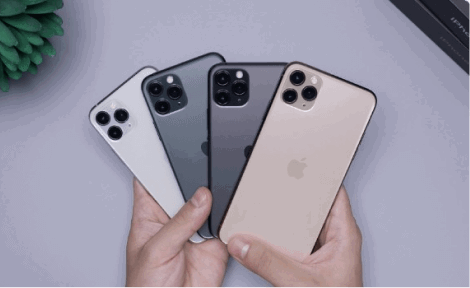
The example below demonstrates a stack with images.


Stacked cards
The example below demonstrates a stack with cards.
Card A
Card B
Card C
Stacked notifications
The example below demonstrates a notifications stack.
3 Notifications
You have 3 unread messages. Tap here to see.
2 Notifications
You have 2 unread messages. Tap here to see.
Notification 1
You have an unread message. Tap here to see.
Class referenceThe component, style, color, state, size and modifier classes available for this component.
| Class | Type | Description |
|---|---|---|
stack | component | Stacks the child elements on top of each other. |
stack-start | placement | Sets stacking direction to start. |
stack-end | placement | Sets stacking direction to end. |
stack-bottom-start | placement | Sets stacking direction to bottom-start. |
stack-bottom-end | placement | Sets stacking direction to bottom-end. |
stack-top | placement | Sets stacking direction to top. |
stack-top-start | placement | Sets stacking direction to top-start. |
stack-top-end | placement | Sets stacking direction to top-end. |
stack-animated | placement | Adds animation to stack when hovered over. |