Marketing UI
Login
User authentication and login form component
Login 1
A login page design that includes options to sign in as a user or an admin. It features an email and password input, with a 'Remember Me' checkbox. There is also an option to sign in using a Magic Link or Google. The page also includes links for forgotten passwords and account creation.
Semji
Sign in to Semji
Ship Faster and Focus on Growth.
Login with Magic Link
New on our platform? Create an account
Login 2
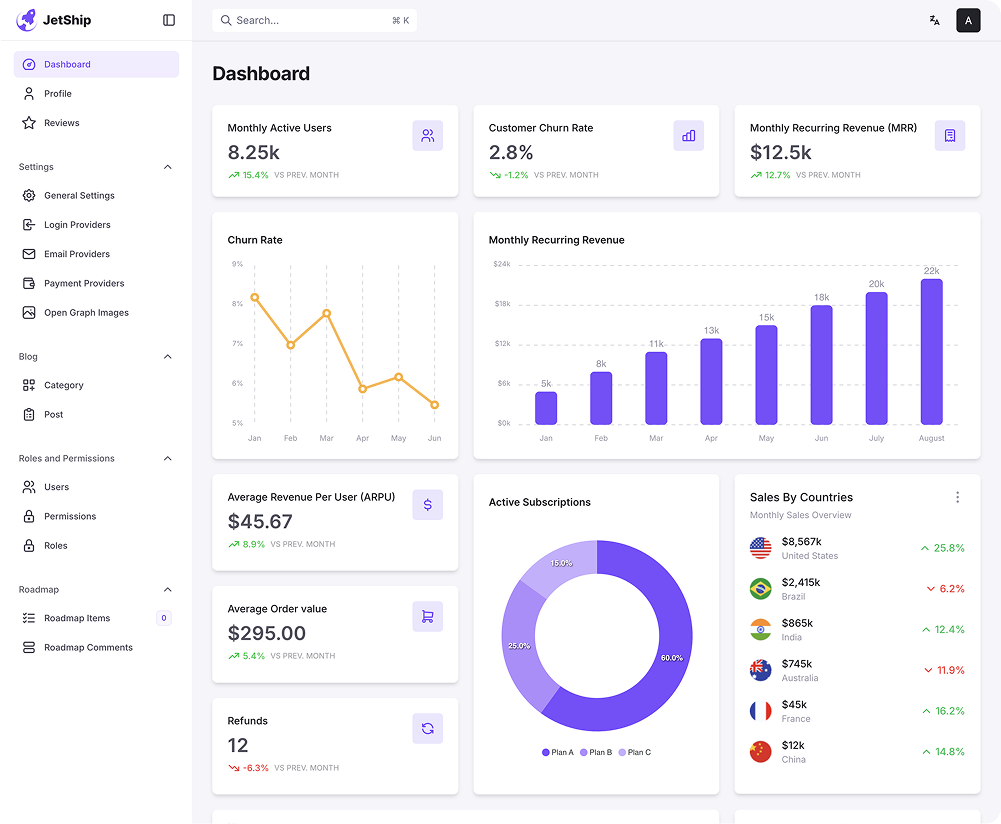
This login page showcases a user interface where users can sign in using their credentials (email and password) or a Magic Link. The page features a dashboard preview, showing key performance metrics and visualizations like user growth, subscriptions, and sales by countries in a image. The user also has the option to sign in as a user or admin, with a 'Forgot Password' option and Google sign-in.
Semji
Sign in to Semji
Ship Faster and Focus on Growth.
Login with Magic Link
New on our platform? Create an account
Login 3
This login page offers multiple sign-in options, including Google and Facebook authentication, alongside the option to continue with email. It prompts the user with a message to check their inbox for an activation link after registration. Users can also choose to reset their password via the 'Forgot Password' link. The interface is designed with a vibrant, welcoming purple theme, offering a friendly user experience.
Semji
Welcome Back
Welcome back! Select method to login:
New on our platform? Create an account
Welcome back! Please sign in to your Semji account
Thank you for registering! Please check your inbox and click the verification link to activate your account.
Please enter your login details
Stay connected with Semji Subscribe now for the latest updates and news.



Login 4
The screen shows a login page designed for users returning to a platform. It includes options for social logins (Google and Facebook) or email login. It encourages users to activate their account by clicking a verification link sent to their inbox. Additionally, there is a prompt for users to enter their personal information (name, email address, and password) for signing in, as well as a link to reset the password if needed. The page uses a welcoming purple design and is geared towards new users starting a 30-day free trial.
Welcome back! Please sign in to your Semji account
Thank you for registering! Please check your inbox and click the verification link to activate your account.

Login 5
This is a login page designed for returning users to the platform. It offers multiple login options via Google, Facebook, and GitHub for social sign-ins, or the traditional email and password form. The page also includes a checkbox for remembering the user's login details and a 'Forgot Password?' link for password recovery. The user interface is simple and clean, with a welcoming purple theme and prompts for new users to create an account.