Dashboard
Dashboard Dropdown
Dropdown menus for language, status, user, settings, and more in dashboard interfaces.
Dashboard Dropdown 1
A language selection dropdown with a list of available languages, including options like English, Deutsch, Korean, Spanish, and Portuguese. The currently selected language, Deutsch, is highlighted in a purple box, while the other languages are displayed in a standard text format.
Dashboard Dropdown 2
A status selection dropdown displaying various project or task statuses, including 'Pending', 'In Progress', 'In Review', 'Complete', and 'Archived'. The currently selected status, 'Pending', is highlighted at the top. Each status is represented by a colored dot, indicating its corresponding stage.
Dashboard Dropdown 3
A balance management dropdown displaying the current balance with options for 'Deposit', 'Withdraw', and 'Payment info'. Each option is represented by a corresponding icon, and the dropdown is triggered by a 'Balance' button at the top.
Dashboard Dropdown 4
A message options dropdown offering actions like 'Reply', 'Pin', 'Save this message', 'Mark as unread', and 'Share via email'. There is also an option for additional actions labeled 'More actions'. Each action is represented with an icon and a simple text label.
Dashboard Dropdown 5
A vertical user profile dropdown featuring a profile picture, name, tabbed statistics section with a line graph, and navigation options like Work Preferences, Projects overview, Settings, and Sign Out. The design uses rounded corners and clean spacing.

Dashboard Dropdown 6
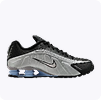
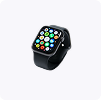
A favourites dropdown showcasing a list of saved items, including product names, prices, and discount details. Each item features an image, price, and an option to delete from favourites. The dropdown also includes a 'View All Favourites' button at the bottom.

Dashboard Dropdown 7
A sharing settings dropdown where users can add email addresses to share a read-only link. The dropdown lists team members with their roles (Admin, Can view, Can edit) and provides options for additional actions like 'Send' and 'Copy Link'. The interface includes a search bar and a list of team members with expandable details.




Dashboard Dropdown 8
A sharing settings dropdown where users can add email addresses to share a read-only link. The dropdown lists team members with their roles (Admin, Can view, Can edit) and provides options for additional actions like 'Send' and 'Copy Link'. The interface includes a search bar and a list of team members with expandable details.




Dashboard Dropdown 9
A user account dropdown menu displaying the profile picture, name, and email of the user at the top. Below are options for managing the account, such as 'My account', 'Settings', 'Billing', 'Manage team', 'Customisation', and 'Add team account'. The menu also includes a 'Logout' button at the bottom.
Dashboard Dropdown 10
A user selection dropdown showing a list of users, with profile pictures and names. The currently selected user, 'Ethan Caldwell', is highlighted at the top. The dropdown allows easy switching between users by clicking on a different name.
Dashboard Dropdown 11
A user account dropdown displaying the user's profile picture, name, and email at the top. Below are several options: 'Your Shop', 'Documentation', 'Affiliate', 'Settings', and an icon-based toggle for different modes (light/dark). The dropdown also includes a 'Log out' button at the bottom.

Dashboard Dropdown 12
A workspace dropdown menu with a list of available workspaces, including icons and labels for each workspace. The design features a prominent active workspace at the top and an 'Add New Workspace' button at the bottom. The dropdown is triggered by a purple header with a chevron icon indicating expansion.


Dashboard Dropdown 13
A user profile and project dropdown menu, displaying the user email at the top with a 'Sign out' button. Below, it lists the user's active projects with corresponding icons and a highlight on the selected project. The bottom of the dropdown includes an 'Add another project' button. The design is minimal and organized, with a clean, modern layout.


Dashboard Dropdown 14
A compact app dropdown menu that displays icons and labels for popular services such as Google Search, YouTube, Maps, Gmail, Drive, Play, Calendar, News, and Meet. The menu is triggered by an icon with a '+' sign, and it features a grid layout of app icons and names in a clean, minimalistic design.


Dashboard Dropdown 15
A tag selection dropdown displaying a list of predefined tags, each represented by colored labels such as 'Bug', 'Closed', 'Reviews', 'Feedback', and more. Users can search for tags and check or uncheck them. The dropdown is triggered by a tag icon, and the interface allows multi-tag selection.
Dashboard Dropdown 16
A user profile dropdown menu with options such as 'My profile', 'Account settings', 'Device management', and 'Sign out'. It also includes a section for switching accounts, displaying a list of available accounts with their associated email addresses. The currently selected account is highlighted with a circular icon.
Dashboard Dropdown 17
A settings dropdown that includes options for changing fonts (Default, Serif, Mono), toggling features like 'Full width' and 'AI suggestions', as well as various actions like 'Dictate', 'Copy link', 'Move to', and 'Move to trash'. Additional settings include 'Public', 'Print', and 'Version History'.
Dashboard Dropdown 18
An invite new members dropdown for team collaboration, featuring input fields for entering email addresses and assigning roles (e.g., Designer). Users can add more people with the 'Add another project' option and send invitations using the 'Invite' button.
Dashboard Dropdown 19
A shopping cart dropdown showing a list of selected items, including product names, prices, sizes, and discount details. Each item is accompanied by an icon, a quantity selector, and icons for adding to the wishlist or removing from the cart. The dropdown includes a 'Buy Now' button and an 'Add to Wish List' option at the bottom.





Dashboard Dropdown 20
A user assignment dropdown where users can assign tasks by selecting from a list of team members. The currently assigned user, 'Moris Tom', is highlighted, and other team members, such as 'Sophia Williams' and 'Emma Wright', are displayed. The interface includes a search bar for quick filtering.


Dashboard Dropdown 21
A dropdown menu for selecting the number of columns in a layout, with options for '2 Columns', '4 Columns', '6 Columns', and '8 Columns'. The currently selected option, '2 Columns', is highlighted. Each option is accompanied by a checkbox for easy selection.
Dashboard Dropdown 22
A settings and actions dropdown featuring options such as 'Settings', 'Copy link', 'Move to a Folder', 'Duplicate', 'Move to Trash', and others. The dropdown also includes actions like 'Undo', 'Export', 'Updates & Analytics', 'Version History', and 'Report'. A search bar is available for easy filtering of options.
Dashboard Dropdown 23
A user account dropdown showing the user's profile picture, name, and email at the top. It includes various options such as 'My account', 'Feed', 'Account Settings', 'Analytics', 'Guide', and 'Help Center'. The dropdown also features a theme toggle and displays the user's current plan ('Free Plan') with an 'Upgrade' button, as well as a 'Sign out' option at the bottom.